
What determines the cost of a customer portal?
Two customer portals can look similar while requiring very different development budgets. The difference often lies behind the screens: where information comes from, who can change it and which exceptions the application must handle.
A useful estimate starts with one customer journey. What does the customer need to do, which information is required and what must your team do next?
1. Viewing information or carrying out a process
Viewing request status is a different scope from changing a request, obtaining approval and paying for it. Every additional action introduces rules, checks and exceptions.
Illustrative scope: a customer signs in, views the status of one type of request and opens related documents. An administrator maintains the information. This is a proposed compact first release, rather than a claim about a completed client project.
2. Roles and boundaries between customers
Customer and administrator can form a simple starting point. Staff, team leaders and external partners introduce additional decisions about access to records and actions. A customer organisation with several branches may need further rules.
Describe permissions explicitly: who can view, add or delete a document? Who can grant access? Hiding menu items alone is insufficient; the application must also enforce access on the server.
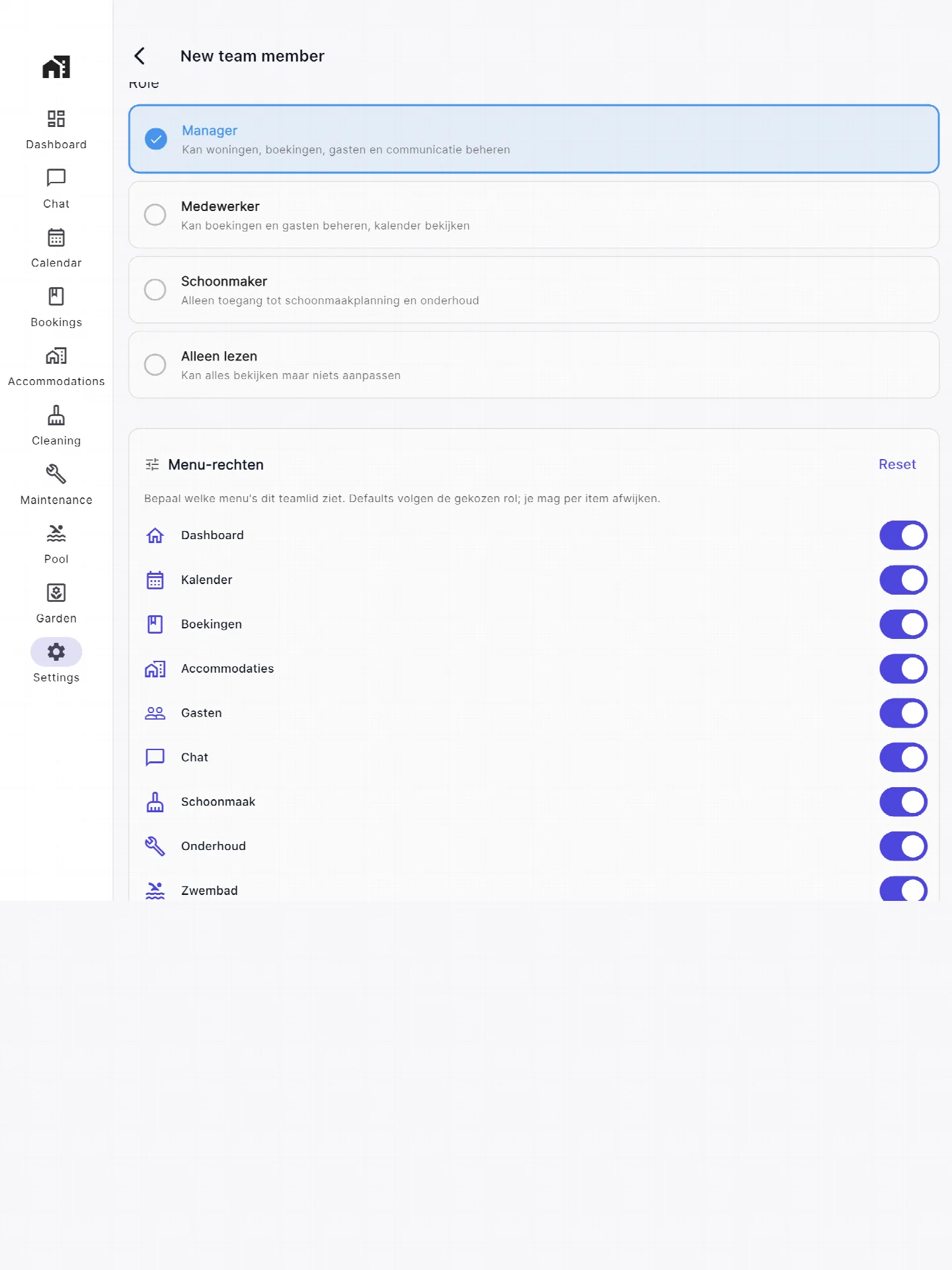
Our own product CasaMio provides a visible example of roles and menu access in its team management screen. Your portal’s specific permissions require a separate design.
3. Integrations and the direction of data
Reading information from one system differs from writing changes back to several systems. For a write integration, you need rules for cases such as a customer and staff member changing the same record.
- Is a suitable API available, and does the supplier charge for access?
- Which system owns the current status?
- How quickly should changes become visible?
- How should failures, repeated notifications and temporary outages be handled?
Answer these questions before comparing quotations. Otherwise, similar feature descriptions can conceal different workloads.
4. Documents and existing records
Viewing documents differs from uploading, reviewing or electronically signing them. Uploads need agreements on file types, size limits, access and retention. Signing may require an external service and additional fees.
Data migration also needs its own scope. Duplicate customers, incomplete records and missing relationships should be checked. A trial import helps reveal problems before customers receive access.
5. Administration after delivery
Agree who manages accounts, answers questions and approves changes. Define hosting, updates, backups and recovery arrangements. Compare quotations on both the development scope and recurring costs.
A concrete starting budget
At Altena Digital, our indicative budget for a compact portal is €7,500–€15,000 excluding VAT. This covers one customer workflow, two roles and manual administration or one agreed, simple read-only integration.
Complex write integrations, payments, single sign-on, multiple data sources and extensive approval workflows are excluded. Hosting, maintenance, external licences and migration are budgeted separately. This is our project indication, not a market average or a fixed price for every portal. Explore the complete approach to customer portal development.
What should you bring to an initial discussion?
Describe one task customers should complete. List the roles, existing systems and available information. Separate necessary first-release functions from those that can wait.
If the information currently lives in Excel, read our guide to moving from Excel. Or discuss your portal with us for a scoped proposal.